
By Cueup
Best DJ Software for Producing Your Own Remixes & Mashups
By Cueup
Finding the right DJ software to produce your own remixes and mashups can feel like a puzzle. The sheer number of options, steep learning curves, and pricing can be overwhelming. This post breaks down the top tools that not only spark creativity but also tackle common pain points like complex interfaces and limited features. We’re taking a closer look at featured products that make remixing both fun and accessible, so you can focus more on your beats and less on the technical stuff.
- 1
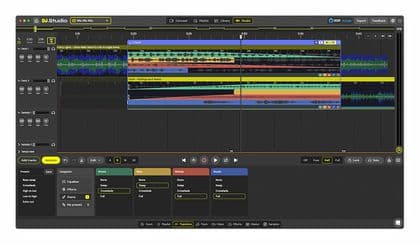
DJ.Studio Pro + Stems
Pros
- +Easy and quick setup with immediate download license delivery
- +Intuitive automix and manual transition controls
- +Excellent stem separation quality enabling creative remixing
- +Seamless integration with Traktor and other DJ libraries
- +Highly versatile effects including built-in effects and crossfade options
Cons
- -Free updates are only provided for one year from license activation
- 2
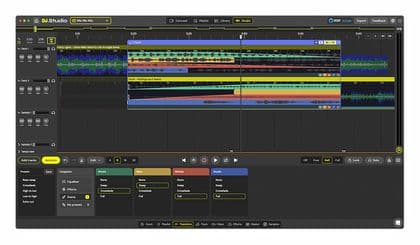
DJ.Studio Ultimate
Pros
- +Streamlined workflow for producing mixes without live mixing
- +Powerful automation tools including both automatic and manual control
- +Advanced stem separation allows for in-depth audio editing
- +Supports exporting projects directly into Ableton Live for further refinement
- +Wide compatibility with popular DJ libraries and file formats
- +Perpetual license provides long-term use without recurring fees
Cons
- -Requires a reliable internet connection for installation and activation
- -Demands relatively modern hardware and OS specifications
- -May not suit DJs looking for live mixing performance due to its automated approach
- 3
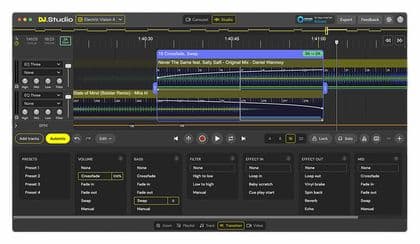
DJ.Studio DJ.Studio Pro
Pros
- +Enables creation of seamless DJ mixes without live performance
- +Automix assistant simplifies track sequencing and transitions
- +Exports projects compatible with Ableton Live for further editing
- +Supports a wide range of audio formats and DJ software libraries
- +Rich presets provide creative flexibility for transitions
Cons
- -Requires online activation, limiting simultaneous installations to 2
- -Minimum system requirements (Windows 10/Mac OS 11, 8 GB RAM, and sufficient storage) may restrict usage on older hardware
- -Needs an internet connection for installation and activation
Frequently asked questions
What makes DJ software ideal for producing your own remixes and mashups?
Great DJ software streamlines workflow, offers intuitive interfaces, and includes powerful features like beat-syncing and loop functions that help you create professional-sounding remixes and mashups effortlessly.
Which DJ software is best for beginners looking to create remixes?
For beginners, software that offers simple drag-and-drop functionality, comprehensive tutorials, and an active community is ideal. Look for options that combine ease-of-use with robust editing tools.
What key features should I look for in remix and mashup production software?
Key features include beat matching, multi-track editing, real-time sampling, effects control, and integration with external hardware, all of which help streamline the remixing process.
Can I create professional quality remixes using free DJ software?
Yes, some free DJ software options offer powerful features that allow you to produce high-quality remixes. They often come with essential tools for beat-making, effects, and mixing, though premium versions might offer additional advanced functionalities.
How does DJ software improve the remixing process?
DJ software reduces the complexity of remixing by automating beat-syncing, providing customizable loops, and offering a range of effects that let you experiment with sound without needing deep technical expertise.
What benefits do integrated library management systems in DJ software offer?
Integrated library management lets you organize your tracks efficiently, quickly search for samples, and seamlessly integrate your music library into your remixing projects, streamlining the creative process.
How can I ensure smooth integration between my DJ software and other production tools?
Look for DJ software that supports plugins and has robust compatibility with other production tools. Features like MIDI mapping and synchronization capabilities help ensure a seamless work environment.